
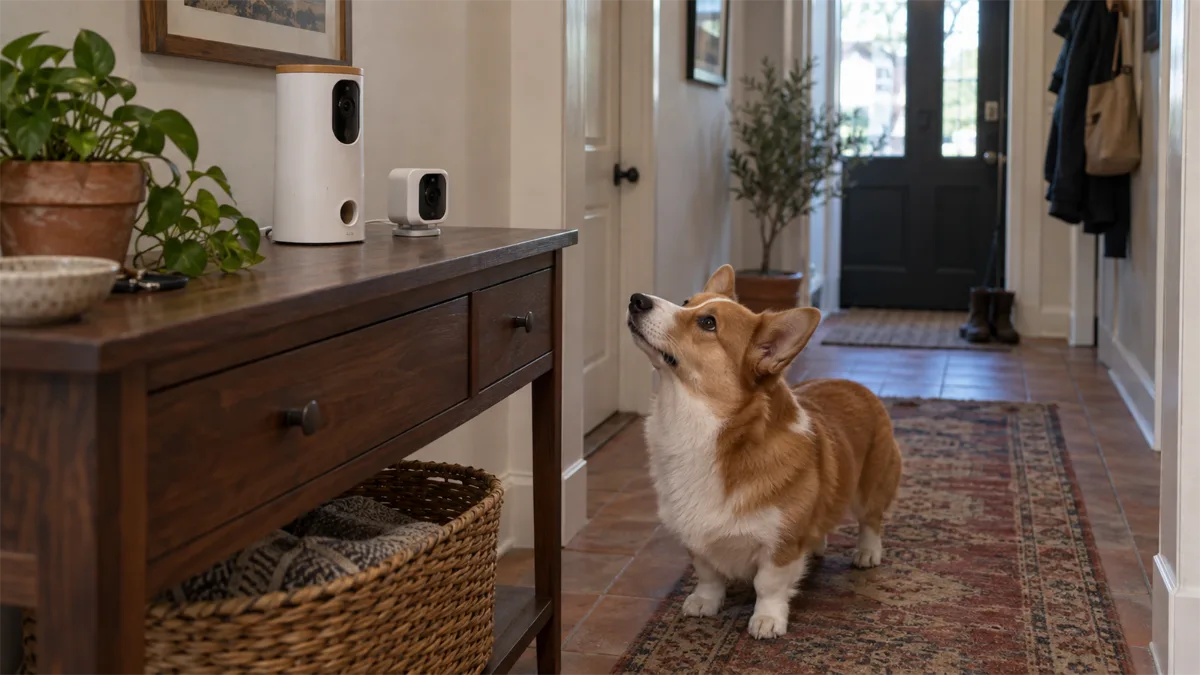
Quick verdict: choose the job, then the package
For a treat camera that can move its view around a dog’s room, shortlist the Furbo 360° Dog Camera. For treat tossing with a fixed wide-angle view, shortlist Petcube Bites 2 Lite. If you do not need treats, Petcube Cam 360 is a separate rotating alternative. These judgments follow documented features; we have not tested image clarity, treat-jam rates, audio latency or connection reliability.
Our primary comparison is Furbo 360° Dog Camera versus Petcube Bites 2 Lite, not every product sold by either brand. Furbo 360° Cat Camera and Petcube Cam 360 are identified separately below. A camera name alone is insufficient: a discounted subscription-required package is not interchangeable with a Standalone device.
Core differences at a glance
| Requirement | Furbo 360° Dog Camera | Petcube Bites 2 Lite |
|---|---|---|
| Video | 1080p; rotating view | 1080p; fixed 160° view |
| Treats | App-controlled treat tossing | App-controlled treat tossing |
| Audio / app | Two-way audio / Furbo app | Two-way audio / Petcube app |
| Free functions | Standalone basic functions; required-package caveat | Standard device live interaction; Care Bundle has a commitment |
| Saved history | Furbo Nanny cloud features | Petcube Care cloud features |
| Local card recording | No local-card path established in cited documentation | No local-card path established in cited documentation |
| Basic vs smart alerts | Standalone barking alert; enhanced alerts via Nanny | Care adds pet/person and sound-related smart alerts |
| Selection question | Do you need a moving view and accept the selected plan? | Does the fixed view cover the whole relevant pet area? |
Sources: Furbo US model comparison, Bites 2 Lite product specifications, Furbo free-feature support and Petcube Care. “Not established” is an evidence boundary, not a claim that an undocumented feature is impossible.
Camera coverage matters more than a brand winner
Both primary models list 1080p video. That shared number does not tell us which produces the better picture in your lighting. Furbo moves its view; Bites 2 Lite uses a fixed lens. A moving view is useful when the resting area changes within a room. A fixed camera can be sufficient if the lens includes the places you actually need to observe.
Neither choice sees through furniture or around a wall. Start with a sketch of the room and identify the important floor zones. Pan coverage is the range a camera can inspect over time, not a simultaneous picture of the entire home.
Treat dispensing and audio
Use the manufacturer’s fit and loading instructions for the exact device. A compatible treat and an appropriate toss direction matter more than a generic “treat dispenser” label. Do not use either device as a meal feeder. Bites 2 Lite’s manual covers dispenser setup and audio controls; check those controls rather than assuming identical behavior across the Petcube range. Read the Bites 2 Lite manual.
Introduce the camera while you can watch the pet directly. Test a brief low-volume call, then decide whether audio is useful. We cannot promise a pet will feel reassured or that hearing your voice will address a behavior problem.
Subscription requirements: compare purchase arrangements
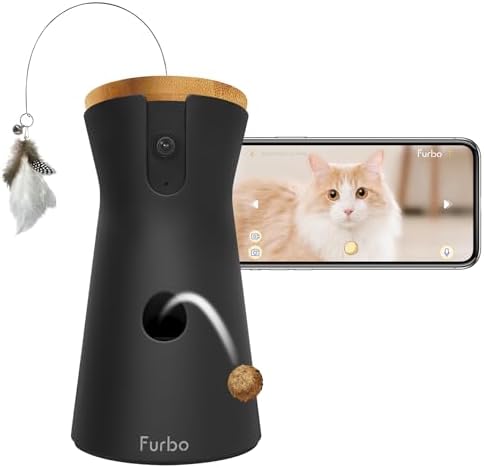
Furbo 360° Cat Camera — core-features package
Best for: Cat-oriented treat tossing with basic use without an ongoing plan.
- 1080p rotating view
- two-way audio
- treat tossing; optional Furbo Nanny
Furbo’s support documentation says Standalone basic functions work without Nanny; its Subscribe & Save models are subscription-required. The Furbo US terms describe activation and minimum commitments that depend on the selected offer. Do not buy a required package expecting the Standalone arrangement.
Petcube’s Care Bundle terms describe a camera tied to at least 12 months of Care renewal. That is distinct from buying a standard device with optional Care. Compare the device and plan together; “Petcube has an optional subscription” is too broad to describe every offer.
Storage, notifications and household access
Free live viewing and automatic event history are different requirements. Compare the current Furbo Nanny plan and Petcube Care plan for the history and smart notifications you need. Do not interpret an alert as a guarantee that every event was captured. We omit fixed plan prices and retention promises because the chosen plan and region matter.
For shared access, check who can view, talk, change settings and remove users. Petcube Cam 360 documentation describes in-app sharing and multiple cameras on an account. Do not assume the same permissions or plan coverage apply to every product or Furbo package.
Cats and multi-pet homes: compare different models explicitly
Petcube Cam 360 — rotating view without treats
This is a separate model, not a smaller Bites 2 Lite. It is a sensible documentation-based candidate when observation is the goal and a treat hopper would add no value. Its published specifications list pan/tilt movement, two-way audio and privacy mode.
Check the Cam 360 specification and sharing FAQ.

Petcube Cam 360
Best for: Rotating room observation without treat dispensing.
- 1080p, 105° lens; 350° horizontal and 55° vertical rotation
- privacy mode / camera-off feature; 2.4 GHz WiFi
- works without a subscription; stored video and smart alerts need Petcube Care
Furbo 360° Cat Camera — cat-oriented treat option
The US comparison identifies a cat-specific model with treat tossing and a feather-wand accessory. Assess the package and your cat’s response to the device; the cat label does not make it the best choice for every household.
For two pets in different rooms, begin with coverage rather than promises about smart recognition. A camera observation does not control who eats from a bowl. Our multi-cat feeder guide covers that separate problem.
Who should choose each, and how to compare value
Consider Furbo 360° Dog Camera if…
You want treat interaction and a moving view, and you have checked the Standalone or subscription-required package. Skip it if your main requirement is a verified local-memory-card recording workflow.

Furbo 360° Dog Camera — core-features package
Best for: Remote treat tossing with a rotating view.
- 1080p rotating 360° view, 4x digital zoom
- treat tossing; about 100-treat capacity
- two-way audio; video history needs a Furbo Nanny subscription
Consider Petcube Bites 2 Lite if…
You want treat interaction and its fixed view covers the needed area. Skip it if you need to pan toward changing perches or a separate room; compare Cam 360 instead when treats are unnecessary.

Petcube Bites 2 Lite
Best for: A wide fixed view with remote treat flinging.
- 1080p, 160° wide-angle lens, 8x digital zoom, night vision
- treat container holds up to 1.5 lb; crunchy treats 1 inch or smaller; autoplay mode
- 2.4 GHz WiFi; Petcube Care subscription is optional
Calculate your first-year cost as hardware plus the selected plan commitment and any required accessories. Then compare renewal costs and what stops working after cancellation. Check current checkout terms rather than comparing promotional hardware prices alone. No stock, discount or cheapest-merchant claim is made here.
For other treat-camera choices, use the existing treat-camera buying guide. For meal scheduling, see camera feeders for cats.
Return to the Pet Cameras hub for the overall buying framework.
Need saved history without a recurring fee? Compare live-view and local-recording options. Before choosing the room and viewing angle, use the placement checklist.