
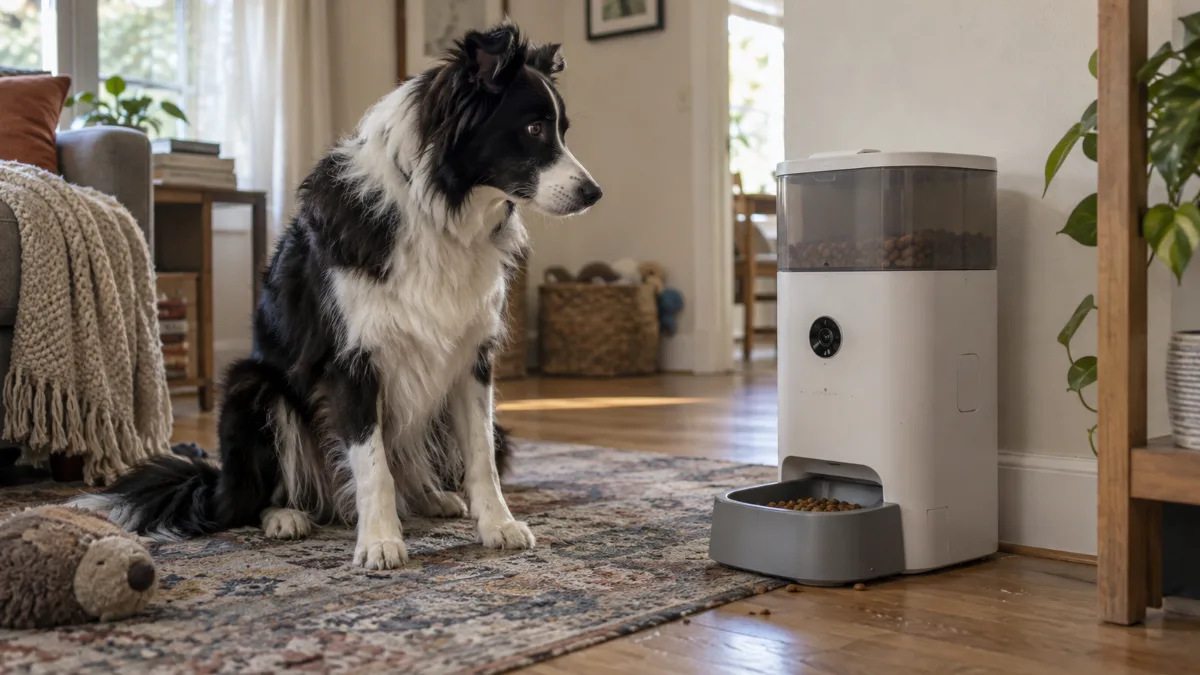
Camera Specs That Actually Matter
Not all camera specs are equal, and the marketing photos rarely tell you the numbers that matter:
- Resolution — commonly 1080p or 2K on current models; 2K gives a noticeably sharper picture, especially if you’re checking on details like whether your dog is actually eating, not just present in frame.
- Field of view — typically in the 140–160° range on a wide-angle lens, wide enough to see the bowl and a good portion of the surrounding floor.
- Position — most models are fixed in place rather than pan/tilt; a wide-angle lens compensates for not being able to physically move the camera, but it’s worth checking whether a specific model can pan before assuming it can.
- Night vision — infrared night vision is common and useful if your dog’s feeding area doesn’t have much ambient light in the evening.
- Two-way audio — lets you talk to your dog remotely, and most models also support recording a short custom message (often 10 seconds or so) that plays automatically at feeding time — useful for a dog trained to come when called to eat.
Video Storage: Local SD Card vs. Cloud
This is an easy spec to overlook until after you’ve bought the feeder. Some models save footage locally to an SD/TF card — which often has to be purchased separately and inserted yourself, since it isn’t always included in the box. Others route video through the cloud via the companion app, which sometimes requires a paid subscription for anything beyond live viewing or short clips. Before buying, it’s worth checking specifically whether recording works out of the box or requires an extra purchase or subscription — “has a camera” doesn’t automatically mean “records and saves video for free.”
Dog Food Dispenser with Camera: Same Product, Different Name
You’ll see this same category listed as a dog food dispenser with camera, automatic dog food dispenser with camera, or dog camera food dispenser — these are the same products as an automatic dog feeder with camera, just described with “dispenser” instead of “feeder.” Both describe an automatic hopper-and-motor mechanism with a camera attached, as opposed to a plain automatic dog feeder without one — see our dog feeders hub if you’re comparing camera and non-camera models side by side.
WiFi and Remote Access: What You’re Actually Getting
A wifi dog feeder with camera or remote dog feeder with camera connects to your home network so the companion app can do three things: stream live video, send motion or sound alerts when your dog approaches, and let you dispense an extra portion remotely outside the regular schedule. That last feature is genuinely useful — it’s the closest thing to a manual override while you’re not home — but it depends on a stable WiFi connection and, for most models, 2.4GHz specifically rather than 5GHz networks, which is worth checking against your router setup before buying. If camera hardware is optional for you, compare the broader app-control category in our smart dog feeder guide.
What to Look for Before You Buy
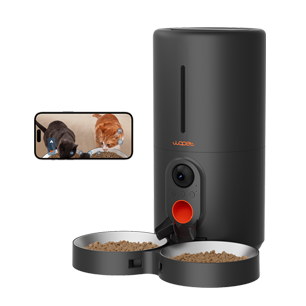
WOPET Heritage View HV10DP Dual Bowls
6L camera feeder with dual bowls, app controls and 1080p monitoring for multi-pet homes.

PETKIT YumShare Dual-Hopper
Two-hopper camera feeder; check bowl size and feeding height for your dog.

PETLIBRO Granary Camera Feeder
Camera feeder search for current Amazon-listed variants.
- Resolution and field of view that actually cover the feeding area, not just the bowl itself
- Whether recorded video needs a separate SD card, a subscription, or works out of the box
- Confirmed WiFi band compatibility (2.4GHz vs 5GHz) with your home network
- Two-way audio and voice-message recording if you want to call your dog to the feeder remotely
- Whether portion control and scheduling are as capable as a comparable feeder without a camera — the camera shouldn’t come at the cost of core feeding features
Decision guide
Feeder with camera vs. separate pet camera
Built-in feeder camera
Useful when you want meal alerts and a direct view of the bowl in one app. Verify the camera angle, night view and whether recordings need a subscription.
Separate pet camera
Offers more freedom to cover the room or feeding area, but it adds another device and may not confirm that kibble actually dispensed.
Next: compare smart feeders, timed feeders, or open the comparison tool.
Frequently Asked Questions
Is a dog feeder with camera the same as a Furbo-style treat camera?
No — a feeder with camera dispenses full scheduled meals like any automatic feeder, just with video added. A treat-tossing camera dispenses small treats on demand and isn’t meant to replace regular meals.
Do I need to pay for cloud storage to use the camera?
Not always — some models save video locally to an SD card (sometimes sold separately) with no subscription required, while others use cloud storage that may need a paid plan for anything beyond live viewing. Check this before buying if recorded footage matters to you.