
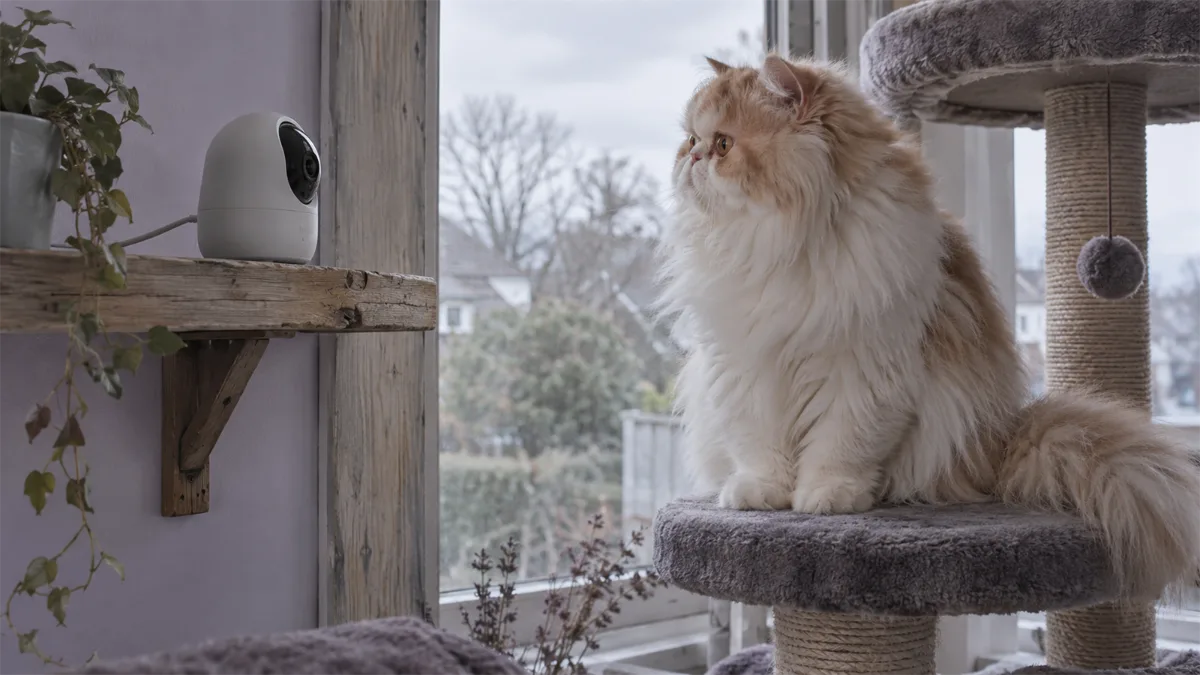
The best cat camera starts with where your cat spends time
For cats, the important buying question is often whether one placement can show both the floor and elevated resting spots. A camera pointed only at a food bowl may miss a window perch. A treat dispenser may be useful for interaction, but it adds little if the main job is quiet observation. Choose the view and recording workflow first.
These candidates are based on manufacturer specifications and support documentation. We have not tested them with cats or ranked their real-world tracking, low-light picture quality or audio performance. Our recommendations describe useful feature matches, with limits you can check before purchase.
Match an exact model to the task
| Model | Documentation-based role | Reason to pass |
|---|---|---|
| Petcube Cam 360 | Rotating observation without treats | Local-card recording is not established in this evidence |
| Tapo C220 | Pan/tilt with a documented microSD path | No treat dispensing; pet-specific recap expectations need checking |
| Furbo 360° Cat Camera | Cat-oriented treat interaction | Package subscription terms and pet response matter |
| PETLIBRO Scout PLPC001 | Pet-focused observation and optional cloud features | No microSD recording; paid features and recognition limits matter |
Sources: Cam 360, C220 US specifications, Furbo Cat Camera comparison and Scout model documentation. These are alternatives for different requirements, not an overall performance ranking.
Floor and perch coverage
Sketch three zones: your cat’s usual floor route, its main elevated spot and any feeding area you need to observe. Put a phone near the proposed lens position and check the angles, then verify the real camera view after setup. Furniture, a shelf edge or a closed door can block the scene even when the camera advertises broad pan coverage.
A pan/tilt camera can inspect different zones over time. It does not show all of them simultaneously. If your cats rest in different rooms, separate views may be more useful than buying one camera with a longer feature list. Keep the device and cable away from the cat’s normal jumping route.
Four different buying paths

Petcube Cam 360
Best for: Rotating observation without treat dispensing.
- 1080p video
- two-way audio; optional cloud history
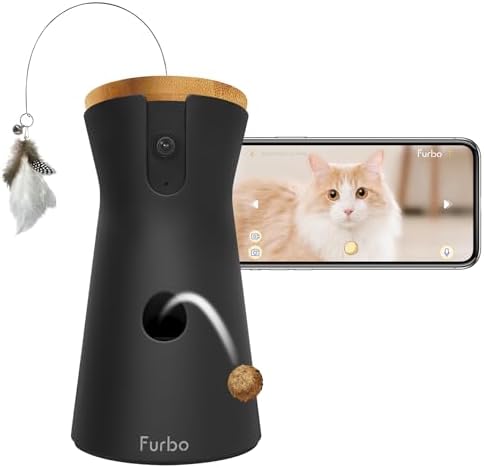
Furbo 360° Cat Camera — core-features package
Best for: Cat-oriented treat tossing with basic use without an ongoing plan.
- 1080p rotating view
- two-way audio
- treat tossing; optional Furbo Nanny
Petcube Cam 360: observation without a hopper
Choose this candidate when a pet-oriented app and adjustable room view matter, while treat tossing does not. The model lists two-way audio and privacy mode. Check sharing permissions and the view from the intended spot before assuming it covers every perch.
Tapo C220: local recordings are the priority
This is an indoor security camera used for pet observation, rather than a treat camera. Its US documentation establishes a memory-card storage option and an optional paid cloud service. Consider it when you want to review activity locally; verify the card and recording settings.
Check local versus cloud storage.

TP-Link Tapo C220
Best for: Local recording to a memory card, with cloud storage optional.
- 2560 × 1440 video; pan/tilt with 360° pan coverage
- microSD slot up to 512 GB (card sold separately); Tapo Care cloud is a paid option
- 2.4 GHz WiFi only; privacy zones and pet detection
Furbo 360° Cat Camera: treats are part of the job
The cat-specific model combines a moving view with treat tossing and a feather-wand accessory. Assess whether your cat is comfortable approaching the device. Check the exact purchase package rather than assuming every Cat Camera offer has the same subscription arrangement.
PETLIBRO Scout PLPC001: a pet-focused cloud path
Scout is a separate camera, not the Granary camera feeder. Its documentation describes pet tracking, cloud storage and sharing. PETLIBRO also notes that similar-looking pets can be harder to distinguish and that camera movement can affect recognition accuracy. Treat recognition as a feature to assess, not a guaranteed identity record.
Read Scout’s recognition limitations and model number.
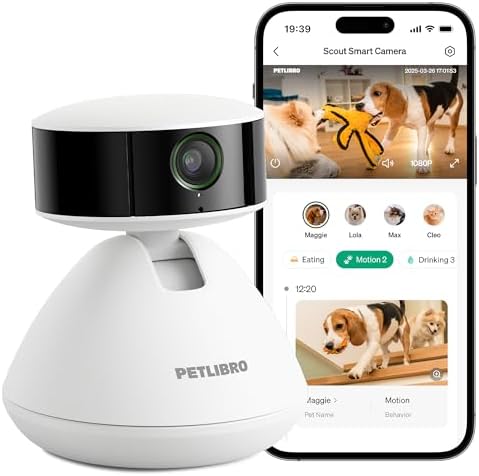
PETLIBRO Scout PLPC001
White standalone pet camera, selected with a 7-day AI trial. Free live viewing and paid cloud features are separate; it has no microSD recording. Recognition can be less reliable for similar-looking pets. A trial is not a permanent free subscription.
Multiple cats: observation is not access control
A camera may help you see which pet approached a visible bowl. It cannot stop food stealing or prove what happened outside the frame. Recognition features do not turn a camera into an RFID access gate, and a missing clip does not prove no visit occurred.
Keep feeding decisions separate. Our feeders for multiple cats and RFID cat feeder comparison cover meal access. If scheduled feeding and a feeding-area view are your main requirements, use the camera-feeder guide. For shared litter boxes, see self-cleaning litter boxes for multiple cats.
Treats, sound and the first week
Introduce the device while you are home. Begin with observation, then try any audio briefly at a low setting and watch how your cat responds. Treat tossing should follow the exact model’s instructions and land in an accessible clear area. A cat choosing not to approach is a reason to reassess the interaction, not evidence that more alerts or a subscription will help.
If quiet monitoring is all you need, a treat-free camera avoids paying for a dispenser you will not use. We make no promise that two-way audio or treats will resolve anxiety or change behavior.
A final cat-camera checklist
- Can the actual view show the main perch as well as the floor?
- Do you need saved recordings or only a live check-in?
- Have you confirmed the exact package and any minimum plan commitment?
- Will a second view solve a real blind spot, or just repeat the first camera’s scene?
- Are sharing, microphone and privacy settings suitable for the household?
For reward dispensing as the primary requirement, see the existing pet treat-camera guide. For time away, pair observation with the feeding and caregiver backup plan.
Return to the Pet Cameras hub for the overall buying framework.
Use the placement checklist to test floor and perch coverage. If saved history matters more than treat dispensing, compare recording paths without a recurring fee.